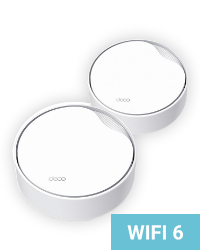
Even the fastest plan is useless if the router can’t distribute the signal across the whole flat or house. Quality Wi-Fi is the foundation.
Wi-Fi 5, 6, 6E, 7 - each generation brings a major boost in speed, stability, and coverage. A router older than 4–5 years is probably holding you back.
An outdated device without updates is a security hole. Missing firmware patches mean vulnerabilities that attackers actively exploit.
We don’t forbid anyone from using their own router. Here’s a list of devices we’ve currently tested and know work great with our network. If you have one of these - perfect, you don’t need to read any further.
Check availability at my addressWe update the list on an ongoing basis. Last updated: April 2026.
We don’t push anyone to buy a router from us. But if you do, you get something no online store can give you:
We deliver the router fully configured for our network and secured. Plug it in and you’re off.
In case of a fault a technician comes out for free and performs an express on-site replacement. No sending it back for claims processing.
We take care of regular updates. You don’t have to deal with anything - the router is always up to date and secure.
The router is integrated into our system. We can help you remotely without you having to configure anything.
The technician will place and configure the router so that Wi-Fi coverage is as good as possible. You don’t have to deal with anything.
We’ll deliver it by parcel or you can pick the router up at our branch - whichever suits you.
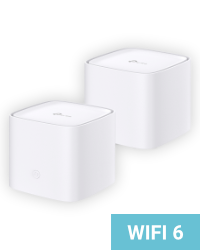
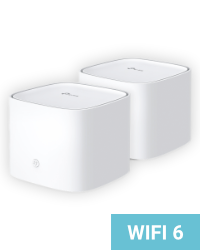
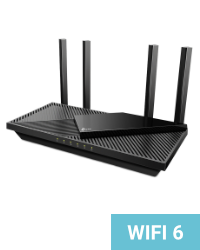
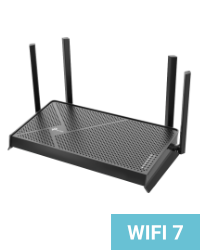
If you don’t have a router from the list above, we recommend getting one of these models. They’re proven, powerful, and we have them in stock.
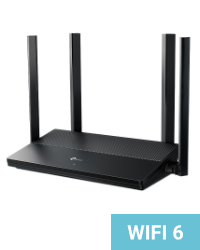
TIP: From experience, we know that it pays off to invest in quality equipment for your home network.
Whether you buy your device from us or elsewhere, don't cut corners on quality.
If your router isn’t on the list and you don’t want to buy a new one, no problem. But it has to meet at least these minimum requirements:
Sure you don’t want a router or mesh from us instead? We’ll take care of everything - from picking the right one through configuration to remote management.
Don’t understand it? No problem. We totally get it and we’re happy to help you with that - that’s what we’re here for. Tell us what router you have and we’ll be glad to take a look at it.
No, absolutely not. You can use any router of your own. On this page we list models we’ve tested and know work flawlessly with our network. If you have a different router, it just needs to meet the minimum technical requirements listed below on the page.
Probably yes, if it meets the minimum requirements - the right Wi-Fi standard for your plan, sufficiently fast ports, and VLAN/PPPoE support (for plans on the CETIN network). If you’re not sure, send us the router model via the contact form and we’ll take a look.
A classic router is a single device that broadcasts the Wi-Fi signal from one point. That’s enough for a typical flat. A mesh system consists of multiple units placed around the property that communicate with each other and create one continuous Wi-Fi network. It’s ideal for larger flats, multi-storey houses, or places where the signal of a single router doesn’t reach.
Because the price isn’t just for the box with the router. You get a device that’s preconfigured for our network, secured, with regular firmware updates, and integrated into our management system. In case of a fault a technician comes out to you for free and performs an on-site replacement. You won’t get that from any online store.
A general rule: if your router is older than 4–5 years, it’s very likely holding you back. Wi-Fi technologies evolve quickly - Wi-Fi 5 (2014), Wi-Fi 6 (2020), Wi-Fi 7 (2024). Each generation brings a significant leap in speed, stability, and coverage. On top of that: older devices without updates are a security risk.
The most common culprit is the router or Wi-Fi itself. An older router with Wi-Fi 5 simply doesn’t have the capacity to deliver 1 Gbps wirelessly. Other factors are router placement (locked in a cabinet, in the corner of the flat), distance from devices, or too many devices on one band.
Tip: The most reliable way to verify the actual line speed is over cable (ethernet) directly from the router. If you measure full performance there, the problem is in your Wi-Fi coverage.
VLAN (Virtual LAN) and PPPoE (Point-to-Point Protocol over Ethernet) are technical protocols used by the CETIN network for data transmission. If your plan runs on this network, your router must support both on the WAN port, otherwise it won’t connect to the internet.
You don’t need to understand it in detail - just check that your router has these features (it’s usually listed in the technical specs). Or send us the model and we’ll check it for you.
For routers bought from us we take care of the complete setup. For your own routers we’re happy to advise by phone or email on how to set up the connection properly. We unfortunately can’t guarantee detailed configuration of non-standard devices, though - every model has a different interface and options.